3dsMax
Reference3 point lighting tutorial: http://www.3dtotal.com/team/Tutorials/Jenns3pt_tut/3ptlighting.asp
INDISPENSIBLE FORUM THREAD
http://forum.onmac.net/archive/index.php/t-965.html
McCloud
6th January 2007, 07:25 PM
Manuliscious, I registered JUST FOR YOU, even though i dont have mac nor interested in this website topic disscusion. I had the same problem to you just recently, ive searched and searched and got you the straight solution

ok, problem fixed

turns out i had to delete the *.dat files in the macrovision folder under

c:\docum...\all users\applicatio...\macrovision\safecast\product licenses

as well as

c:\docum...\all users.windows\applicatio...\macrovision\safecast\p roduct licenses

re-authorized, now fixed ;)
http://www.threedy.com/site/forum/archive/index.php/t-25983.html
Manuliscious
6th January 2007, 08:43 PM
This is great man ! it seems to work now and you safed my day ;)
In fact, i'm using 3ds Max 8.0 and the path is -
c:\docum...\all users\applicatio...\autodesk\software licenses\*.dat
Thx for the help, i hope it runs no without problems,
i will report my experiences with Max/Macbookpro soon !!
cheers
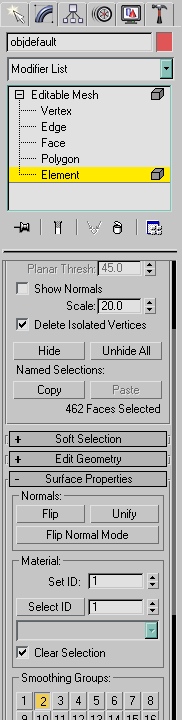
## that Material ID business
Units
- Customize/ Units Setup
- Metric checkbox/ Meters
- System Unit Setup/ 1.0 Meters
- check Respect System Units in Files
- save/ reopen/ check and make sure
How to get the alpha texture to show
- Put the same image into the opacity slot, then be sure to check:
- Mono channel output: alpha
- RGB Channel output: alpha as gray
- Alpha source: Image Alpha